Profiling
Use the native profiler to investigate call paths, function timings, and memory consumption in a running application. Its interactive report combines an elapsed-time flame graph with function-level measurements and process memory metrics, giving you a starting point for targeted performance work.
Once the SDK is configured, a single command builds, profiles, and opens the report:
exaloop --profile run -release app.codon
The report opens in your browser. It is a self-contained HTML file, so a colleague can read it without a web server or a Codon installation.
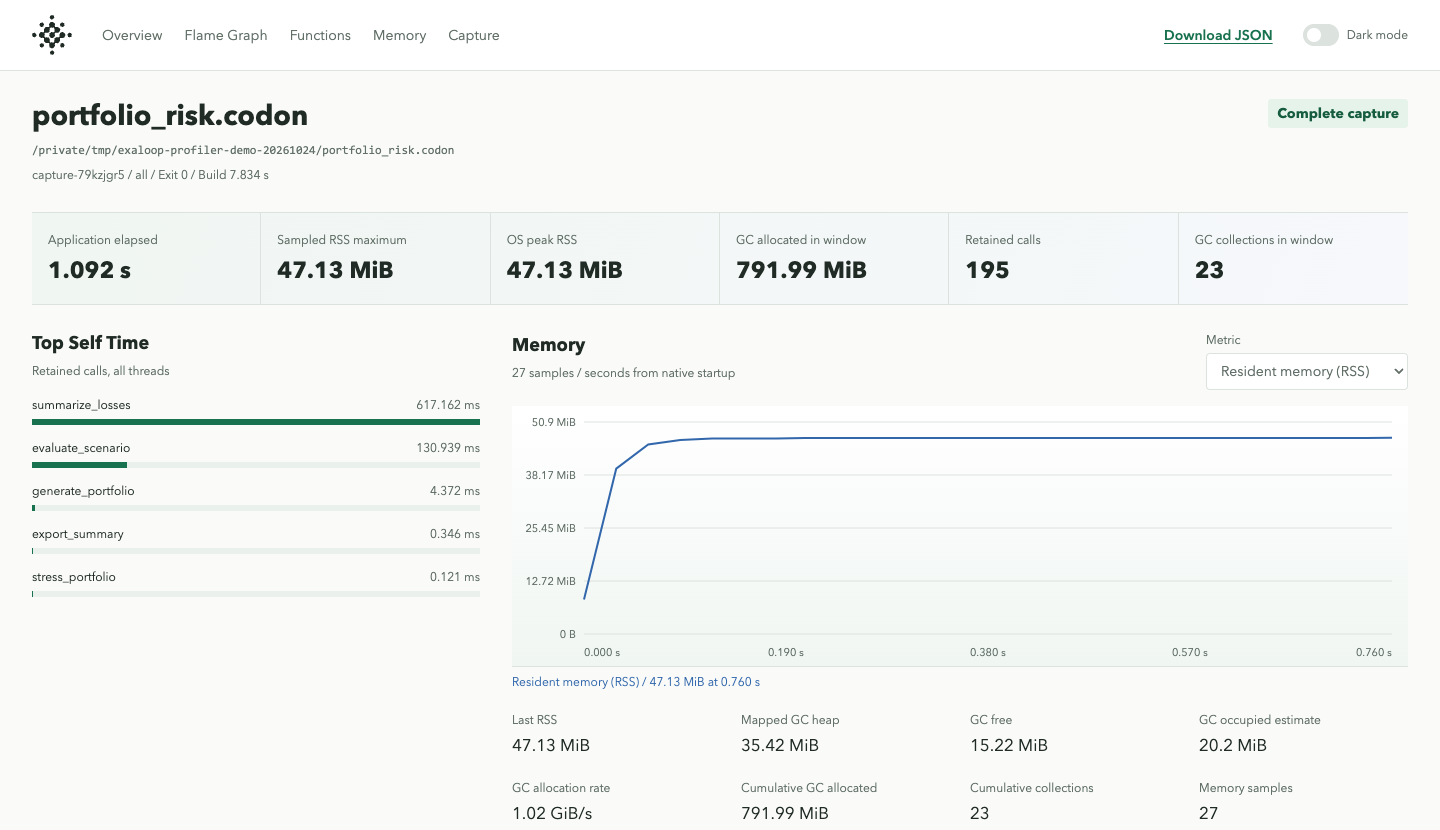
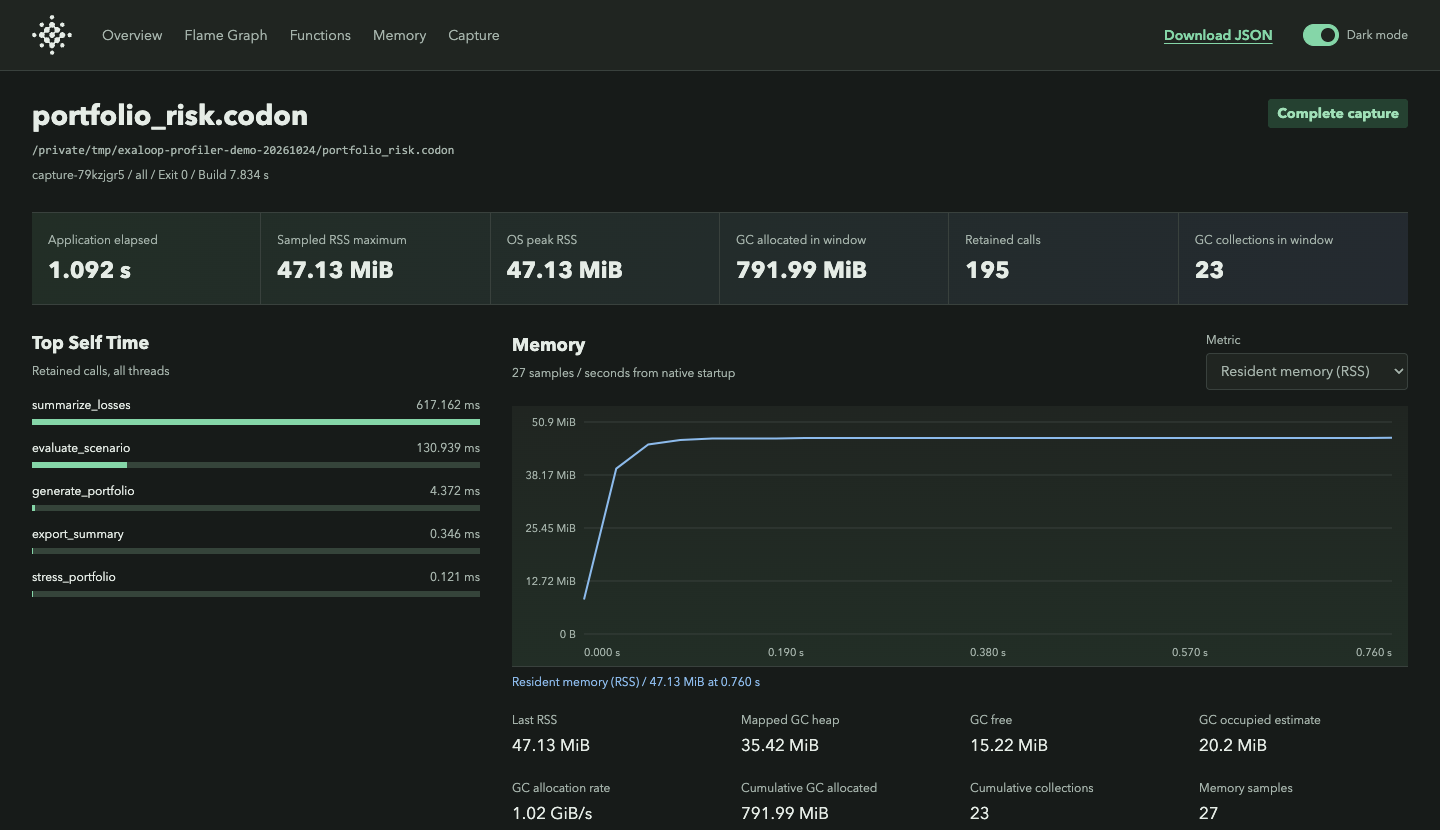
This capture processes 250,000 synthetic loans across 96 stress scenarios, summarizes expected losses, and exports a CSV report.
Before You Begin
Use the CLI and a profiling SDK matching your Codon toolchain. An all-SDK distribution supplies it automatically; for an individual SDK, register its installed directory once:
exaloop plugin add profiling --path /path/to/sdk/profiling
exaloop doctor --profiling checks the native capture path. Function tracing
requires a working XRay backend in the supplied SDK; memory capture can operate
without it. Profiling applies to standalone applications, including Kafka clients,
not functions loaded inside a database server.
Capture
Pass your application's normal arguments after the source file:
exaloop --profile run -release app.codon input.json
The CLI builds an executable, runs it, and saves a capture under profiles/.
Compilation time is reported separately from application time, and the
application keeps its normal output and exit status.
Use --profile=memory when you only need memory measurements, or
--profile=xray for function tracing. These options go before run or build.
To profile a configured project target, use
exaloop --profile --target events run.
The saved index.html can be opened again at any time. Add --no-open before
run to suppress automatic browser opening; CI already does this. Reports
contain source paths and function names, so review them before sharing outside
your team.
Reports
The flame graph shows time spent in each traced call path. Wider frames represent more elapsed time in a function and its traced children; selecting a frame focuses the view on that part of the application. The function table provides another view of the same capture, organized by call count, self time, and total time.
Self time excludes traced child calls; total time includes them. These are elapsed-time measurements, not CPU samples, so waiting for I/O also counts. Inlined functions and uninstrumented native libraries do not appear as separate calls. Time summed across parallel threads can exceed the duration of the run.
The memory chart complements the call trace. RSS shows resident memory for the whole process, while the GC metrics describe only Codon's collector-managed heap. A native library can increase RSS without increasing GC memory.
To reopen a capture or export its measurements:
exaloop profile report profiles/capture-EXAMPLE
exaloop profile report profiles/capture-EXAMPLE --text --sort self --top 30
exaloop profile report profiles/capture-EXAMPLE --json
exaloop profile export profiles/capture-EXAMPLE --format html -o report.html
exaloop profile export profiles/capture-EXAMPLE --format chrome -o trace.json
exaloop profile export profiles/capture-EXAMPLE --format json -o summary.json
Use the HTML report for exploration, text for a quick terminal summary, or JSON for scripts. Chrome-format export can be opened in a compatible trace viewer such as Perfetto.
Reading Memory Measurements
| Memory Metric | Meaning |
|---|---|
| RSS | Sampled resident memory for the application, native libraries, and profiler |
| Peak RSS | OS process high-water mark, including time outside a selected window |
| GC heap | Mapped collector-managed heap; not the whole process allocation size |
| GC free | Free space in that collector heap |
| GC occupied estimate | Heap minus free space; not a precise live-object count |
| GC allocated | Cumulative allocation traffic, with a capture delta/rate |
| GC collections | Collector count and capture delta |
Check Capture Quality
A capture uses bounded buffers and may contain only part of a long run. Review the report's warnings before drawing conclusions, especially after interrupting the application. Missing measurements are shown as unavailable, not as zero. Profiling adds overhead, so confirm a suspected improvement with an unprofiled run before treating it as a speedup.
On ARM64, XRay-instrumented functions disable optional tail-call optimization
to avoid an upstream trampoline register-corruption issue. Functions containing
LLVM musttail calls retain those calls but are excluded from XRay tracing, with
a compiler warning. Their time may therefore appear in an instrumented caller
without a separate frame. Memory-only profiling does not apply this workaround.
After identifying a hot path, use PGO to train and evaluate a new build on representative inputs. The profiler's elapsed-time trace explains costs; PGO collects separate execution counts for the compiler.
Instrument Now, Capture Later
exaloop --profile=memory build -release app.codon -o app
./app argument1
exaloop profile exec ./app argument1
The middle command runs without sampling; profile exec enables the capture.
Keep the generated .profile.json and .symbols.json files with the executable.
For function tracing, build with XRay enabled and keep the matching analysis
tools available.
Capture Windows
[targets.events]
kind = "kafka-consumer"
source = "events.codon"
codon_args = ["-release"]

[targets.events.profile]
mode = "all"
delay = "10s"
duration = "30s"
memory_interval = "100ms"
buffer_size = "64MiB"
include = ["*process_batch*"]
This configuration skips ten seconds of warmup, then records thirty seconds of
work without terminating the application. The function filter narrows the trace
to symbols containing process_batch. Leave include empty to trace all
eligible functions.
Increase the trace buffer for a longer retained window, or shorten the capture when the report says data is incomplete. The buffer setting limits trace storage, not the application's total memory.
Next Steps
- Train and evaluate a PGO build using representative inputs.
- Configure a project target to keep profiling settings with your application.